Enable Logging of Management-Related Events
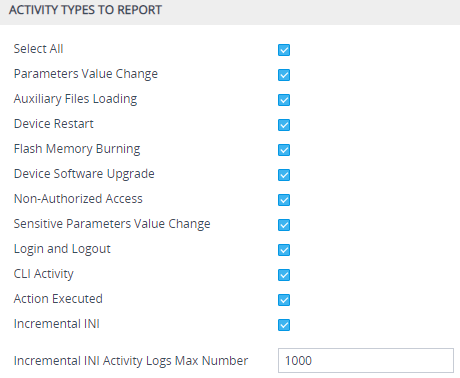
Through syslog you can log and monitor management-related events to help you detect and identify unauthorized management-related activities such as:
| ■ | Unauthorized Web login attempts (attempts to access the Web interface with a false or empty user name or password) |
| ■ | Access to restricted Web pages such as the page on which firewall rules are defined |
| ■ | Modifications to parameter values (for example, deletion of firewall rules, allowing future unauthorized access) |
| ■ | Modifications to "sensitive" parameters - changes made to important parameters such as IP addresses |
| ■ | Unauthorized SIP messages (logged SIP messages) |
| ➢ | To log management-related events: |
| 1. | Open the Logging Settings page (Troubleshoot menu > Troubleshoot tab > Logging folder > Logging Settings). |
| 2. | Select the type of events that you want logged: |
Enabling Logging of Management Events to a Syslog Server